General
PromptBeginner5 minmarkdown
<h1 align="center">
<a href="https://prompts.chat">
5
<a href="https://www.aishort.top/">
Sign in to like and favorite skills



English | 简体中文 | 繁體中文 | 日本語 | 한국어 | Français | Deutsch | Español | Italiano | Русский | Português | Indonesia | العربية | Türkçe | Tiếng Việt | ภาษาไทย | हिन्दी | বাংলা
AiShort (ChatGPT Shortcut) - Maximize your Efficiency and Productivity

That's it! For more features, read on or check the User Guide.
AiShort (ChatGPT Shortcut) provides a curated list of AI prompts, helping you quickly find prompts for any scenario.
🚀 One-Click Prompts - Curated professional prompts, one click to copy and use.
🔍 Smart Search - Find prompts fast with tag filtering and keyword search.
🌍 18 Languages - Translations for all prompts, with native language replies.
📦 Ready to Use - No registration required, start using immediately.
📂 My Collection - Save favorite prompts with drag-and-drop sorting and custom tags.
✏️ Custom Prompts - Create, edit, and manage your own prompts.
🗳️ Community - Share prompts and vote on community contributions.
📤 Export - Backup all your prompts as JSON.
🔐 Multiple Login Options - Password, Google, or passwordless email link.
Access AiShort prompts anytime with our browser extension. Supports Chrome, Edge, and Firefox with a sidebar that opens with
Alt + Shift + SWe also offer the ChatGPT Shortcut Anywhere Tampermonkey script for using AiShort sidebar on any website.
Deploy your own instance via Vercel, Cloudflare Pages, Docker, or locally. See the Deployment Guide.
If you deployed via Vercel's one-click deploy, you may see constant update prompts. This happens because Vercel creates a new project instead of forking. To fix:
After forking, enable Workflows on the Actions page and activate Upstream Sync Action for daily automatic updates.
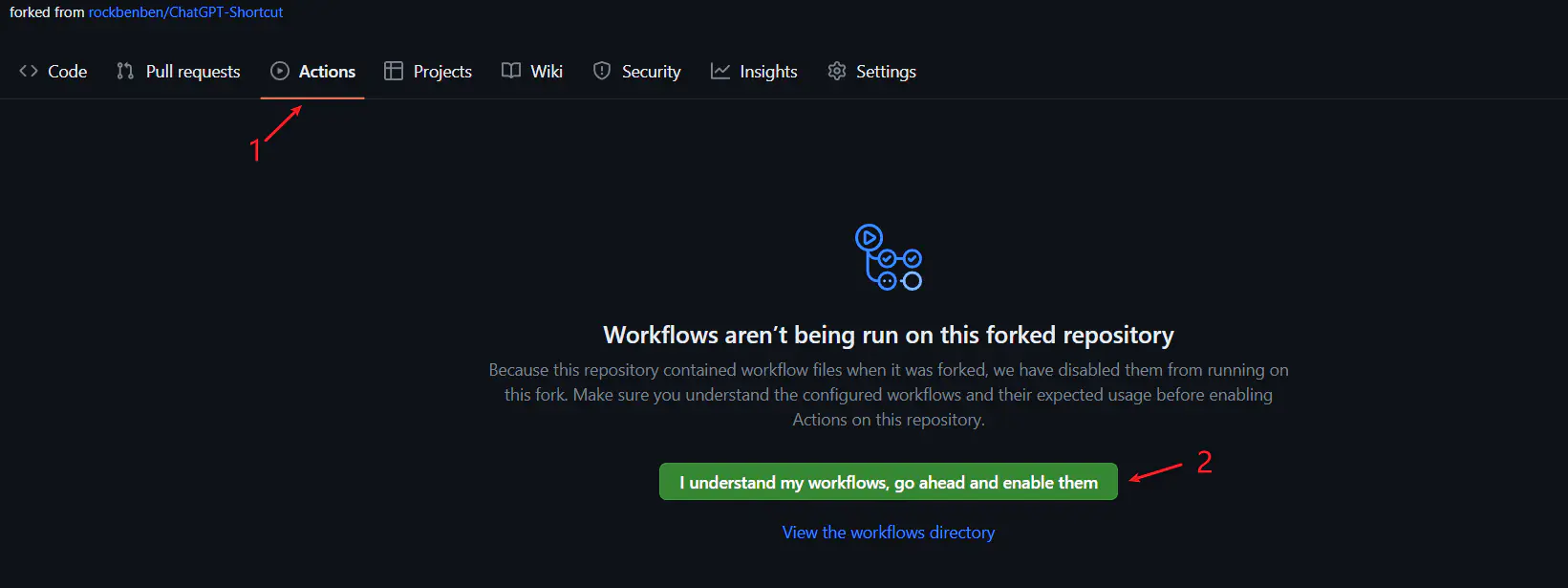
See GitHub Docs for syncing forks.
Join us for discussions and feedback:


⭐ Star this project to stay updated on new features!